I have a bunch of Logic Group MATRIX ZDB5100 in my walls and I wanted to do more advanced automations with them than just controlling their own lights. It was tricky in Home Assistant though, as I had to make automations that hooked up to the events each ZDB5100 exposed through the Z-Wave JS integration. Those events emit event types with names I had to remember, and it got worse when my automations were scattered around, which meant I sometimes cross-wired automations and reused the same event for multiple things.
To solve all this I made a blueprint which maps all the events from a single device, and has extension points where I can put in actions. I then deploy one of these blueprints for each device I have, and start all my automations from there. Then it’s always easy to see what a given button does, and there is always one source of truth for it.
I found that the battery-powered MATRIX ZBA7140 emits the exact same events, so this blueprint supports that as well.
The blueprint
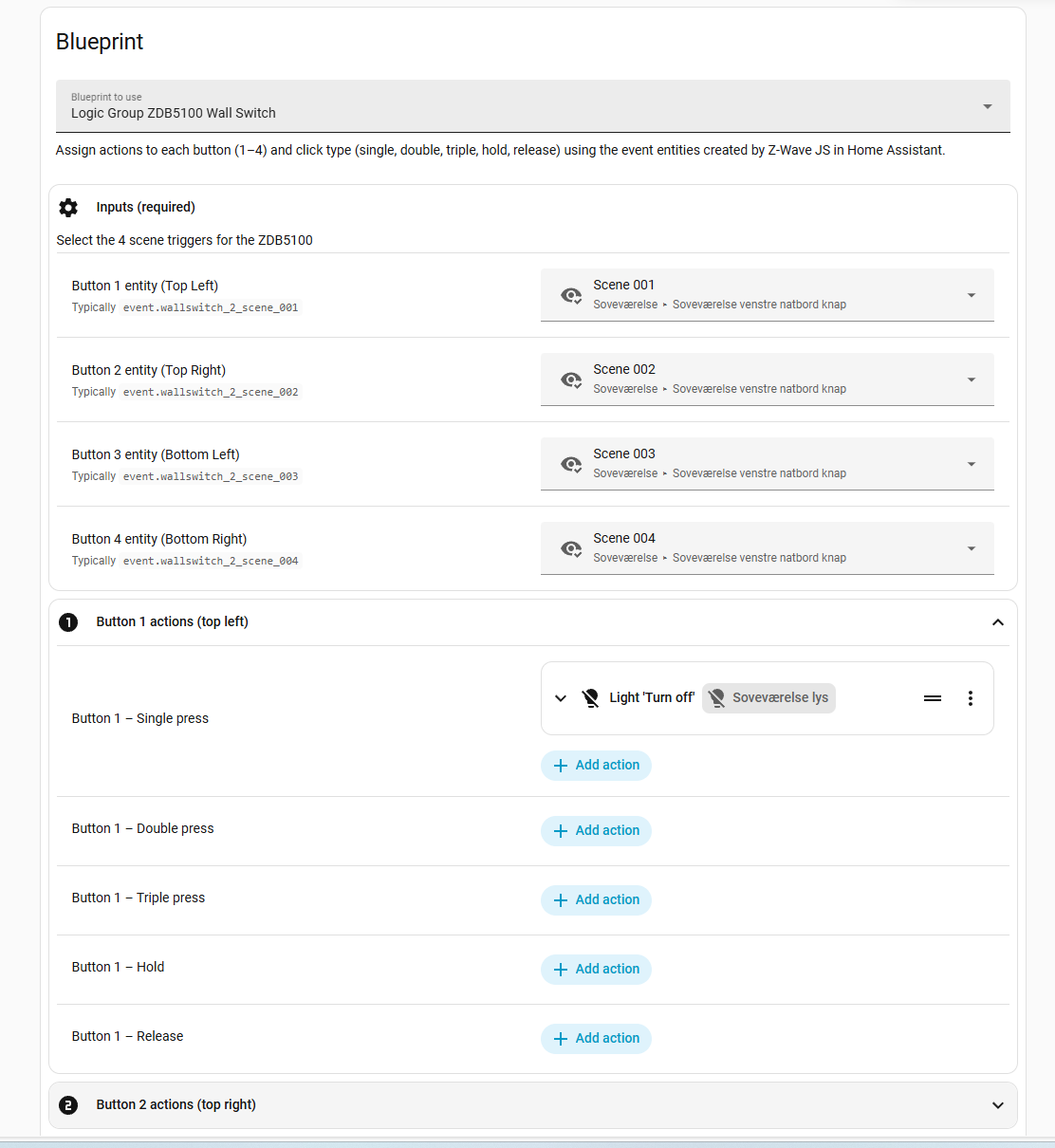
The blueprint takes the four Z-Wave JS button entities created by Home Assistant and exposes 20 optional action placeholders, one per button + click type. Fill in the actions you care about, leave the rest empty, and you still get a consistent mapping across all keys.
For each button, it supports:
- One press
- Two presses
- Three presses
- Hold start
- Hold end
Here is the setup screen after importing and wiring the four button entities:
Files
- Blueprint: zdb5100-blueprint.yaml
- Example usage: zdb5100-blueprint-example.yaml
Setup notes
Import the blueprint either by copying it into blueprints/automation/local/zdb5100-button-action.yaml in your Home Assistant config folder or by using the hosted URL. Use this link when importing by URL: zdb5100-blueprint.yaml. Then point it at the four button entities and add actions for the combinations you want. I have been running this for a year without a single hiccup.
Wrap-up
If you want a complete scene map for ZDB5100 or ZBA7140 without a sea of one-off automations, this blueprint keeps it tidy. Drop in your actions, and the rest stays quiet until you need it.